

Quote the job
before you leave it.
Walk the job, say what needs doing and let Quote Writer turn it into a clear, itemised quote using your own prices and your own past work.

Do the quote while you still remember the job.
Most quotes are written later. The measurements are on a scrap of paper. The materials are in a voice note. The price is in an old spreadsheet, or in another job you did six months ago.
Quote Writer keeps that together. Walk the job, speak into your phone and turn what you saw into a proper quote while you are still on site.
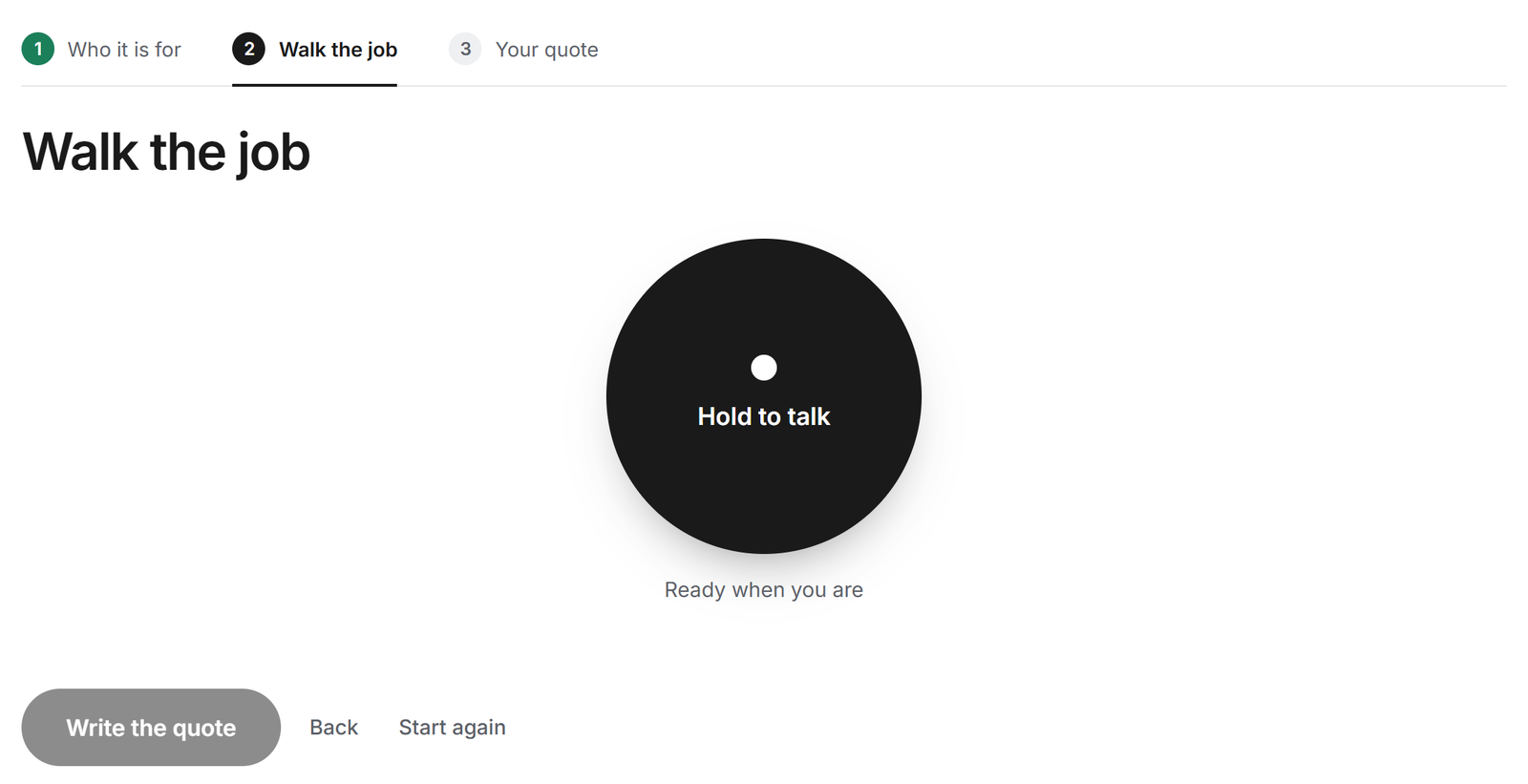
01 · Speak the job
Describe the job out loud as you walk round it.
Go through the job in the order you would explain it to someone else, room by room or task by task. Stop and start as often as you need. Add the customer’s details first, afterwards, or leave them until the quote is ready.
02 · Write the quote
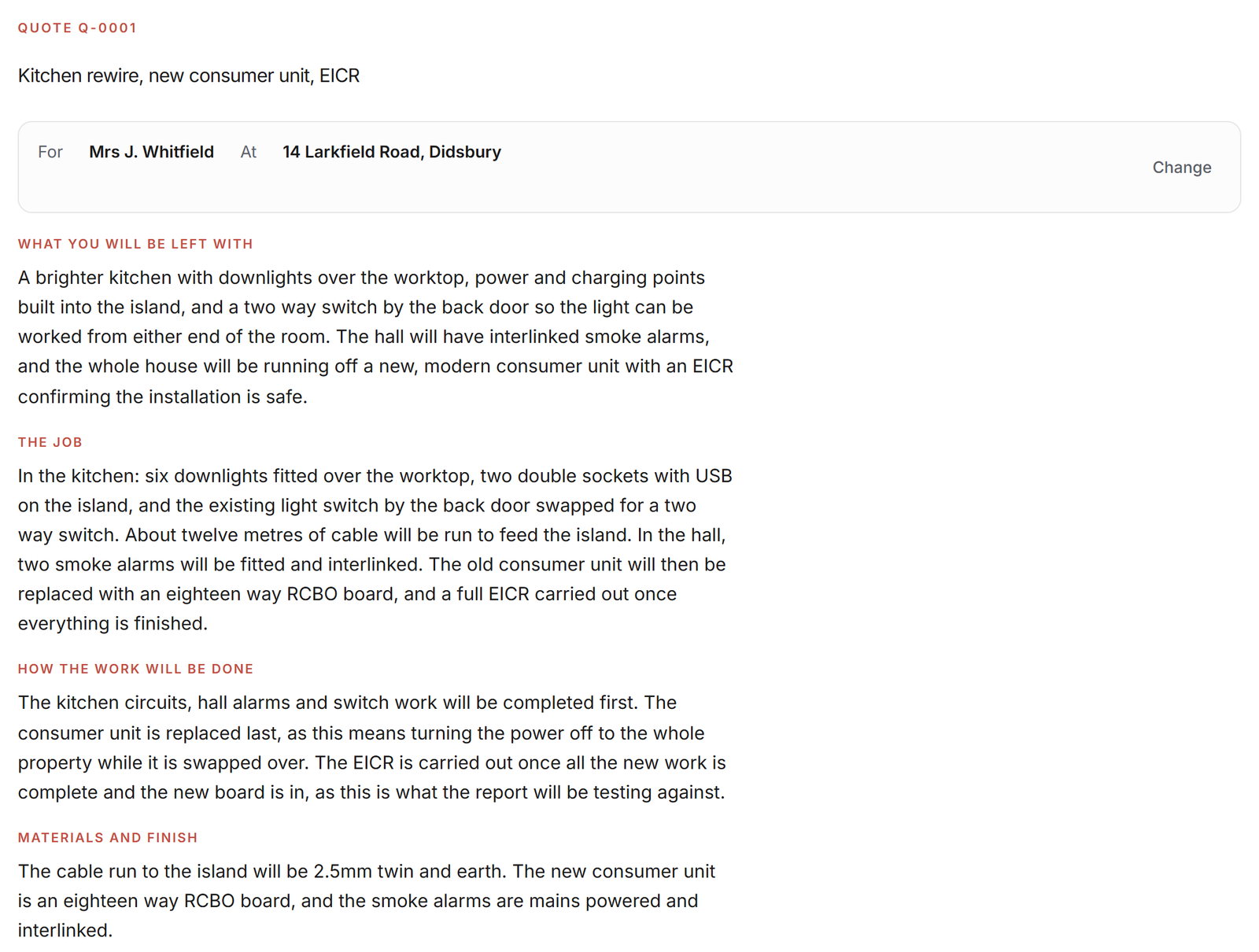
Turn your notes into a quote a customer can understand.
Quote Writer turns what you said into the work being done, the materials, the labour, the quantities and anything the customer needs to know, in plain, professional wording. You can change anything before it goes.
03 · Your prices
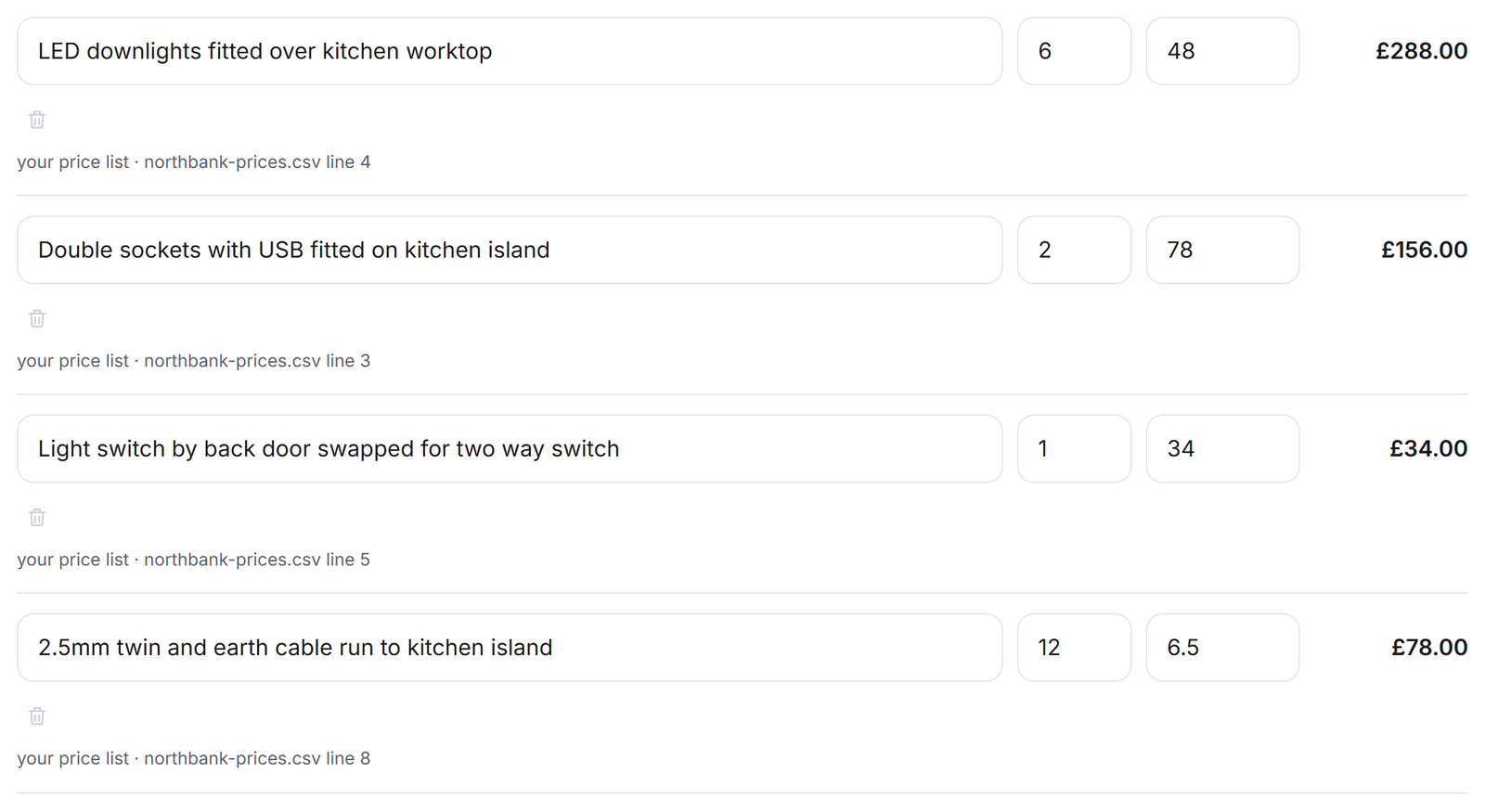
Price every line from your own price list and past quotes.
Quote Writer prices the job from what you give it: your merchant price list, and the labour and materials you have charged on your past quotes. Every priced line shows where its rate came from. If it cannot find a reliable price, it leaves the line for you to fill in.
04 · Send it
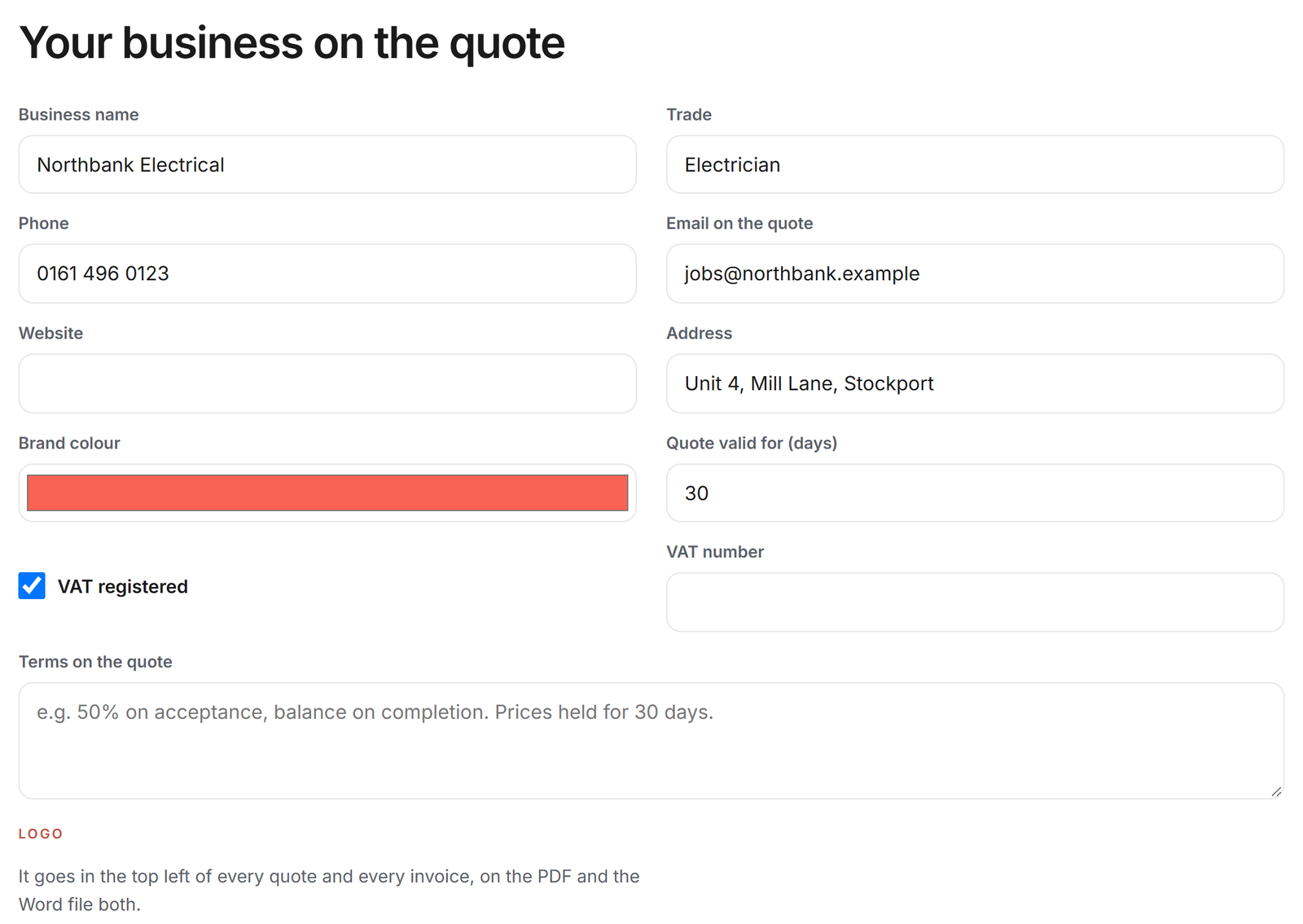
Send a branded quote from your own email address.
Your logo, business details, terms and brand colour go on every quote. Download it as a PDF or a Word file, or send it from your own Gmail or Outlook address so the customer replies straight to you. When the quote is accepted, the same details become the invoice.
Check the scope, quantities, rates, VAT and terms before you send. Quote Writer prepares the quote. You decide what goes out.
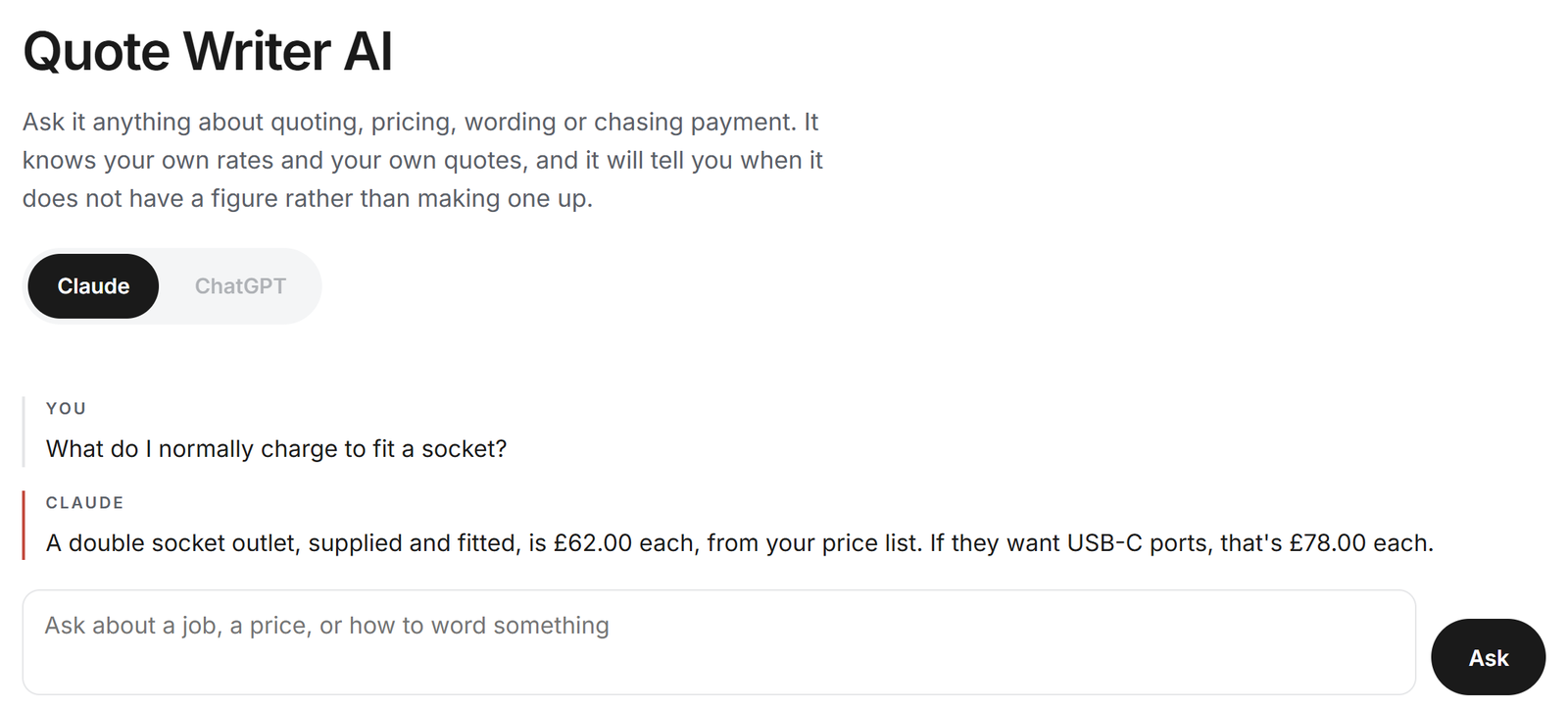
Quote Writer AI
Ask what you charged for a job last time.
Quote Writer can look through your own price list and the rates from your past quotes when you need a quick answer. “What did I charge for this last time?” “What do I normally charge to fit this?” It answers from your own figures, and if it cannot find one, it says so.
On site
Record the job on your phone while you are on site.
Quote Writer is made for where the quote starts: on site. Open it on your phone, walk the job and speak as you go, so you leave with the work recorded and the quote already taking shape.
Keep it on your home screen and it opens like an app, even with no signal. Recording and pricing a quote need a connection.
It never makes a price up.
Your prices are part of your business. Quote Writer only uses the price list and past quotes you have given it. Where a rate comes from a file or an earlier quote, the source sits beside the line. Where there is not enough to go on, it asks you rather than guessing.
Who it is for
Built for trades who quote on site.
Sole traders
Get the quote done before the day ends.
Small firms
The same wording, prices and letterhead, whoever walks the job.
Office and admin support
Turn site information into a finished quote without chasing notes, messages and scraps of paper.
Useful for electricians, plumbers, builders, plasterers, decorators, joiners, roofers, landscapers, heating engineers and general maintenance, and any other trade that quotes on site.

Your prices are never used to price anyone else’s work.
- Used only for your account. Your price lists and past quotes are kept separate from other accounts and are never used to price somebody else’s work.
- Voice notes transcribed on our own server, not sent to a separate transcription service.
- Hosted in the UK on AWS London. Your data is never used to train AI models.
- Sent from your own mailbox, so replies come straight to you.
Pricing
Use every feature free while in beta.
Beta
Free
while it is tested and improved with tradespeople
- Every feature
- No card needed
- Your prices and quotes stay yours
Turn a site walk into a priced quote
using your own rates.
Walk the work, speak into your phone and turn it into a professional quote using your own prices.
Start free